Export your collection to PDF or Excel

Regis Freyd
Written for the KolleK blog
You can now export a collection from KolleK. Open the collection menu, choose Export, and select the sections and fields you want. A summary updates as you make your choices, so you can see what will go into the file before downloading it.
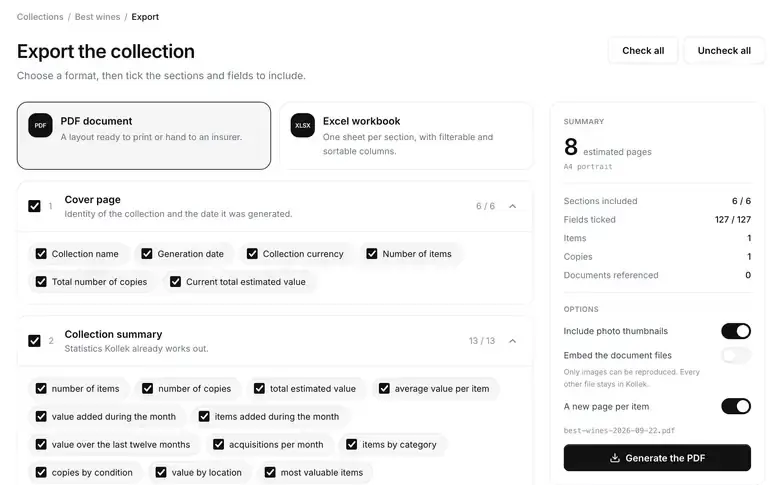
Choose PDF when you want a report you can read or share. It can include a cover, charts, an inventory table, a page for each item, a document register, and appendices. That can be handy when preparing an inventory for insurance purposes, especially if you need a record of individual items, their values, and the documents you have kept.
Choose Excel when you want to sort, filter, or work with the data yourself. Each selected section gets its own sheet, and monetary values remain numbers rather than formatted text.
There is one limit worth knowing: the PDF can include image documents, but it cannot embed other PDFs. Those files still appear in the document register with their details.
The full change is in pull request #290.